 Chameleon AI
Chameleon Client OS: a free client workflow tool
Turn scattered client work into one clear workflow. Track every client from the first inquiry to closeout, right in your browser. No account, no download, no cost.
Your data stays in your browser. How it works
- 🎁 Free to use
- 🔒 Data stays in your browser
- 💾 Export and import backups
- 📱 Works on desktop and mobile
The problem it solves
When client information is spread across messages, notes, quotes, tasks and follow-ups, control of the project slips away bit by bit. Client OS puts the whole process in one place, with one clear next step for each client.
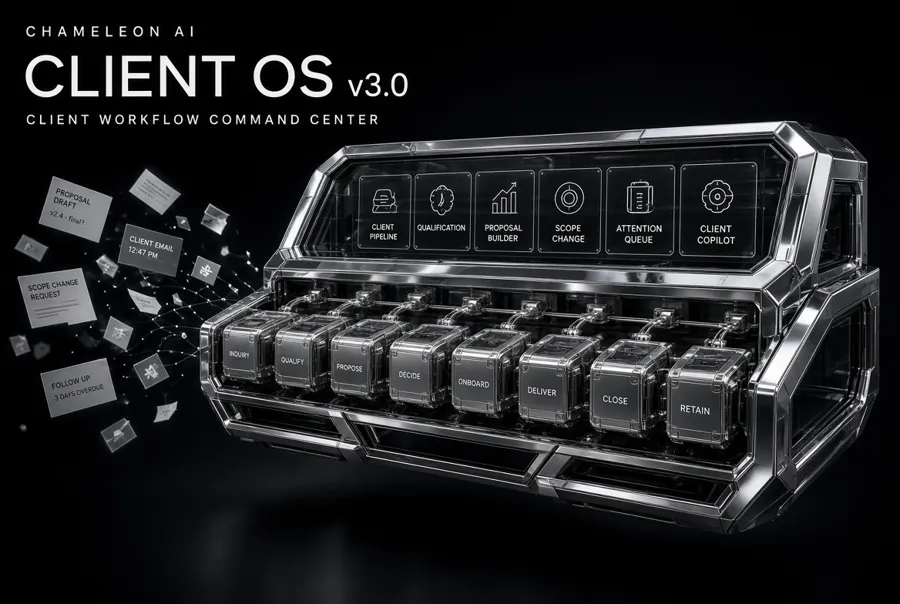
One workflow, start to finish
What is inside
Client Pipeline
See every client and project by stage, from first inquiry to closeout.
Client Intake
Capture the real request, the desired outcome, constraints, service and source.
Qualification
Score six areas (service fit, scope clarity, timeline, commercial clarity, decision clarity and communication fit). The score is a workflow state, not a judgment of the person.
Proposal Builder
Structure the objective, deliverables, exclusions, process, timeline, investment, payment milestones and assumptions before the project starts.
Scope Change
Record a new request and its impact on scope, timeline, cost and approval, so extra work is agreed before it starts.
Attention Queue
Follow-ups, scope changes, pending decisions and delivery issues in one list, instead of in your head.
Follow-up drafts
Prepare a follow-up with context, the next action and a tone you choose.
Onboarding
Build a kickoff checklist: approved scope, start conditions, access, decision-maker and feedback method.
Delivery and Closeout
Draft weekly status updates and a closeout with handover and open items.
Local-first
No account or server. Your workspace lives in your browser, with Export and Import for backups.
The built-in Copilot is an offline, rule-based workflow assistant. It helps you see what needs attention, analyse a scope change and draft a follow-up. It does not use an AI model and sends nothing anywhere.
Who it is for
- Freelancers
- Web designers and developers
- Graphic designers and video editors
- Copywriters and marketing freelancers
- Consultants and social media managers
- Small creative studios and service businesses
Especially people with several clients who do not want to move into a heavy CRM yet.
Honest limits
- It is a workflow tool, not a full CRM and not an AI model.
- Your workspace is stored in your browser only. Clearing browser data erases it, so export a backup regularly.
- There is no sync between devices or browsers, and no multi-user mode.
- This is a free public preview. Feedback shapes the next version, and we cannot promise future features.
What may come next
If people find it useful, future versions may add an AI-connected copilot, automation, smarter client analysis, AI-assisted proposals, advanced follow-ups and integrations. These are ideas, not promises or dates.
Need the words too?
Client OS organises the work. The Aussie Freelancer's AI Toolkit gives you 50 ready-made prompts for client emails, proposals, ATO tax basics and follow-ups.
Questions
Is Chameleon Client OS really free?
Yes. This version is a free public preview. We cannot promise that future versions will have the same features or stay free.
Do I need an account?
No. There is no sign-up or login. You open the tool and start.
Where is my data stored?
In your own browser's local storage on your device. We do not receive it. It also means your workspace does not sync between devices or browsers.
How do I back up my data?
Use Export in the app to download a JSON backup, and Import to restore it. Clearing your browser data erases the workspace, so export regularly.
Does it use AI?
The built-in Copilot is an offline, rule-based workflow assistant. It does not use an AI model and does not send your data anywhere. Future versions may add an AI layer.
Is it a CRM?
No. It is a client workflow tool, a lightweight way to organise inquiries, proposals, scope changes and follow-ups. It is not a full CRM.
Can I use it on my phone?
Yes, it works in modern mobile browsers. Data is stored in that browser only, so use Export if you also work on another device.
Is it safe for confidential client information?
Your data stays on your device, but you are responsible for what you store and for your backups. Avoid storing highly sensitive information such as passwords or payment card details.
Try it now
Free. No account. Your data stays on your device.
Open Client OS